

There is a moment that most HR and Ops teams will recognise. Someone checks the calendar on a Monday morning and realises that three employees have birthdays this week, a long-serving team member hits their ten-year anniversary on Wednesday, and there are four new starters arriving on Thursday. None of the gifts have been sorted.
Cue an afternoon of frantic supplier emails, rushed decisions, and the quiet hope that standard delivery is fast enough.
It does not have to work like this. Corporate gifting automation exists precisely to take that Monday morning panic off your plate – permanently. This blog post covers how automation works in practice, what it can handle, and how to set it up in a way that actually sticks.
Why gifting automation matters more than it used to
Gifting has always been part of how businesses look after their people and their relationships. What has changed is the scale at which modern businesses need to operate and the expectations that come with that scale.
A business with fifty employees can just about manage gifting manually. Someone keeps a spreadsheet, someone else remembers the dates, and the occasional missed birthday gets quietly smoothed over. A business with five hundred employees – spread across multiple offices, working hybrid schedules, joining and leaving throughout the year – cannot run gifting on goodwill and good memory. The maths does not work.
Beyond scale, there is the question of consistency. Manual gifting processes are only as reliable as the person running them. People move roles. Spreadsheets get out of date. Dates get missed. The employee who joins in December and gets a welcome gift on day one has a meaningfully different experience to the one who joins in August and gets nothing because whoever was responsible was on annual leave.
Gifting automation solves the consistency problem at scale. Every employee, every milestone, every time – without anyone having to remember.

What can corporate gifting software actually automate?
A lot more than most teams initially expect. Here is what a platform like WellBox handles without manual intervention:
Milestone gifting
The most immediate win from gifting automation is milestone triggers. Set up your gifting programme once – birthdays, work anniversaries, new starter first days, probation completions, promotions – and the platform handles everything from there.
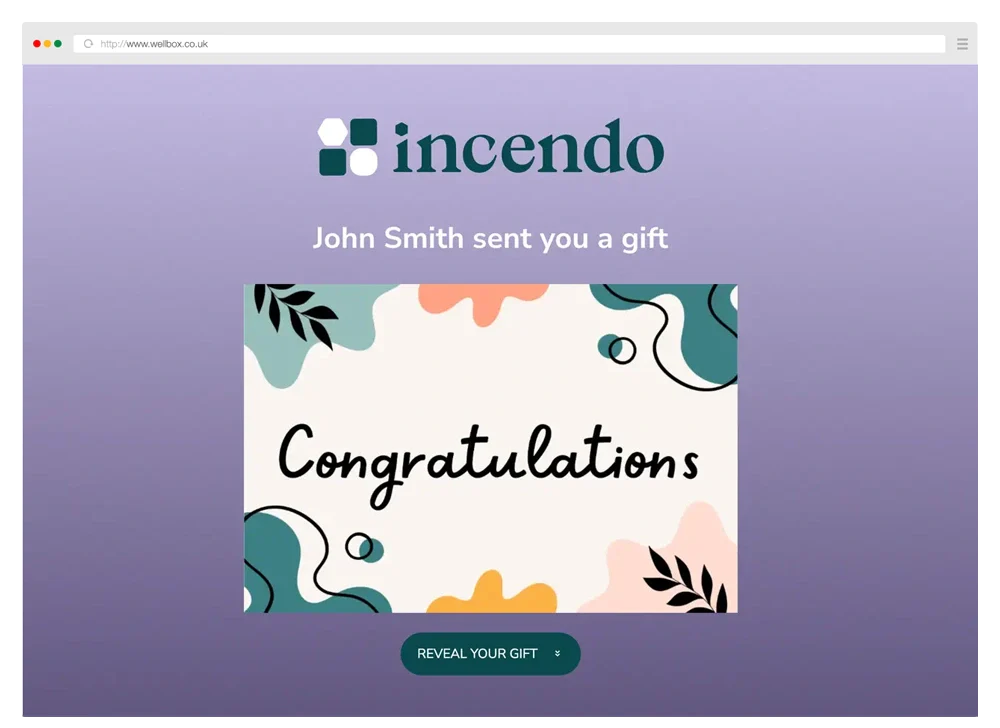
When a trigger date arrives, the gift goes out. The recipient gets a branded notification, lands on a customised redemption page, picks their gift, enters their own delivery address, and that is it. No chasing, no coordinating, no Monday morning panic.
For HR teams managing a growing headcount, this changes gifting from something that requires ongoing attention to something that runs in the background.
Download our FREE employee engagement calendar below for a complete look at the dates you need to be aware of when it comes to gifting.

Bulk sending via CSV upload
For larger sends – end of year gifts, campaign launches, event follow-ups, new starter cohorts – bulk sending via spreadsheet upload removes the need to process each recipient individually.
Upload a CSV or Excel file with your recipient list, and the platform matches the columns automatically. Every gift is personalised, tracked, and dispatched without manual intervention. You can include delivery addresses directly in the spreadsheet, or let recipients enter their own details via a redemption link – useful for remote teams where you may not hold current home addresses.
The practical effect is that a send that would previously take a full day of admin takes about twenty minutes.
Scheduled sends across the full year
One of the more underused capabilities of gifting software is the ability to pre-schedule an entire year of gifting in a single session. Upload your employee data, set your trigger dates, define your gift selections, and the platform rolls through the calendar automatically.
Past dates are handled sensibly too. If a new employee’s start date has already passed by the time you set up their record, the system rolls the next relevant date forward rather than simply skipping it. Small detail, significant difference when you are onboarding regularly throughout the year.
For businesses that want to get gifting off the to-do list entirely, scheduling a full year upfront is the most effective way to do it. Set it up in an afternoon, review it quarterly, and let the platform handle the rest.
Gift links and campaign sends
Automation extends beyond milestone gifting into campaign-style sends. Generate a shareable gift link or QR code and distribute it via email, Slack, SMS, or your website. Set the link to allow single or multiple claims. Approve each claim individually or leave it open.
This works particularly well for Sales and Marketing teams running outreach campaigns, event follow-ups, or client appreciation programmes. Every claim is tracked, every redemption is recorded, and the whole campaign runs without anyone needing to process individual requests.
eGift cards and digital sending
For teams that need to send quickly, or for recipients who prefer digital options, eGift cards can be generated and sent instantly. Recipients add to Google or Apple Wallet, swap brands if they prefer, or donate the value to charity. Digital sending also removes the need for address collection entirely – useful for international sends or situations where gathering home addresses feels disproportionate to the occasion.
Setting up automated milestone gifting: a practical walkthrough
If you are starting from scratch with gifting automation, here is how a typical setup looks in practice.
Step one: Define your trigger events. Start with the milestones that matter most to your business. For most People teams, that means: new starter welcome gifts, birthdays, work anniversaries (typically at one year, three years, five years, and ten years), and any other moments your culture treats as significant – promotions, return from parental leave, project completions.
Step two: Upload your employee data. Most gifting platforms accept a CSV or Excel upload with employee names, email addresses, start dates, and birthdays. The platform matches the columns and builds your gifting calendar from there. If your HRIS exports employee data in a standard format, this step usually takes under ten minutes.
Step three: Set your gift selections for each milestone. Decide what each trigger event should send. New starters might get a welcome pack with branded merchandise and a curated selection of British products. Work anniversaries might offer a higher-value gift with more choice. Birthdays might be lighter – a digital gift card or a small curated selection. WellBox lets you configure different gift options for each milestone type, so the gift always feels proportionate to the occasion.
Step four: Configure your branded recipient experience. Set up the redemption page your recipients will land on. Upload your logo, set your brand colours, write your message, and preview how it looks before anything goes live. This is what your employees will see – it should feel like it comes from you, not from a third-party platform.
Step five: Set your schedule and let it run. Once everything is configured, the platform takes over. Gifts go out on trigger dates, recipients claim them at their convenience, and your dashboard shows you exactly what has been sent, what has been redeemed, and what is outstanding – in real time.
Reviewing the programme quarterly to add new employees, adjust gift selections, and check redemption rates is typically all the ongoing management it needs.
The ROI case for gifting automation
For anyone who needs to make the case to leadership, the ROI of gifting automation sits in three places.
Time saving. Manual gifting at scale is a significant time sink. Researching suppliers, placing orders, chasing delivery, managing address collection, handling queries – these tasks add up quickly across a busy People or Ops team. Gifting automation removes the majority of that overhead, freeing up time for work that actually requires human judgement.
Consistency of experience. Every employee receiving a gift on their work anniversary, regardless of who is managing HR that week, creates a more consistent and more positive experience of the organisation. Consistency at scale is something manual processes struggle to deliver and automated ones handle by design.
Budget efficiency. Pay-per-redemption pricing means you only pay for gifts that are actually claimed. Pre-purchasing gifts that may never reach a recipient – a common outcome with manual gifting approaches – burns budget without generating any relationship value. Automation paired with a sensible pricing model means your gifting spend goes entirely on gifts that land.
For leadership teams thinking about the commercial case for employee recognition, the data is fairly clear. Gallup research consistently shows that employees who feel recognised are more productive, more engaged, and significantly less likely to leave. A gifting programme that runs reliably, at scale, with every employee covered – is a meaningful part of that recognition infrastructure.

Common mistakes to avoid when automating gifting
Setting it up and never reviewing it. Automation handles the sending. It does not handle the strategy. Review your gift selections, your trigger events, and your redemption rates at least quarterly. A gift that felt right for a team of fifty may feel generic by the time you hit five hundred.
Ignoring dietary and personal preferences. Automated gifting at scale makes it easy to send everyone the same thing. Redemption-based gifting, where recipients choose from a curated selection and set their own dietary preferences, sidesteps this problem entirely. If your platform allows it, build preference collection into the recipient experience from the start.
Underestimating international complexity. If your team spans multiple countries, make sure your platform handles international shipping with full customs compliance – not just technically ships globally, but properly manages duties, delivery timelines, and local requirements. WellBox handles international fulfilment end-to-end, with every customs requirement managed on your behalf.
Treating automation as a replacement for thoughtfulness. The point of gifting automation is to make thoughtful gifting possible at scale – not to make gifting feel automated. A well-curated gift selection, a genuine personal message, and a recipient experience that feels considered will always outperform a generic send, however efficiently it goes out. The software handles the logistics. The thought still needs to come from you.
What good looks like
The businesses running gifting programmes that employees actually notice and appreciate tend to share a few characteristics. Gifts are tied to specific moments rather than sent en masse. Recipients have genuine choice rather than receiving something pre-selected on their behalf. The experience feels on-brand from the first notification to the moment the gift arrives. And the programme runs consistently, month after month, without anyone in HR or Ops having to think about it.
That last point is the one that gifting automation makes possible. The consistency that used to require a dedicated person and a very well-maintained spreadsheet now runs in the background of a platform — reliably, at whatever scale your business needs.
If you want to see how it works in practice, we will walk you through the scheduling tools, the bulk sending workflow, and the branded recipient experience – and show you what a fully automated gifting programme looks like from both sides.
